Do you struggle with your internet connection? Do you fail to zoom along on Zoom? Is your Wi-Fi constantly freezing?
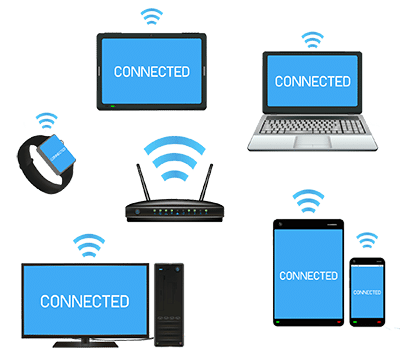
We take the internet for granted now, with so many different devices all trying to connect, all of the time. Your smartphone, tablet and computer are all constantly checking for new emails, new Facebook posts, new messages, exciting Instagram pics, etc. Your TV streams Netflix, Amazon or BT programmes via the internet. VoIP phones are becoming very common – again using the internet. Alexa, Siri, Xbox etc, etc all wanting a piece of the limited line.
Speed issues when using the internet are common and are usually down to one of three factors; which are a slow internet connection, too many devices attempting to use one connection, or Wi-Fi problems. Or all three.
Slow internet?
To determine whether or not the internet speed is the problem, firstly ensure that as many devices as possible are not currently connected to the internet, such as TVs, Amazon Echo, the kid’s Xbox, your Xbox, etc. You don’t need to do anything other than ensure they aren’t actually being used. Then browse to https://www.speedtest.net
Click the big “Go” button and wait for it to complete the tests, which takes a few seconds.
Ignor e the “Ping” and the “Upload” results. You are interested in the “Download” speed. This is the headline speed that your internet provider claims you could be getting, (if you live in a telephone exchange, in the middle of the city, which has just had the latest fibre cables installed and there is a following wind).
If you live in a rural area, or one where the majority of the telephone lines are old copper cables, then you may struggle to get about 4 Mbps. One or two devices accessing the internet at once may be OK, but using any form of video (Zoom or TV streaming) will hog the entire connection.
A download speed above 20 Mbps is good for general internet use, so long as you don’t have too many devices all trying to connect at once.
If you have fibre broadband you can expect up to 40 Mbps. With “Superfast Fibre”, or for those fortunate enough to have “Fibre to the Premises”, 75 Mbps, or more, is usual. That should allow a family to access the internet pretty much as they wish.
If you are concerned, then contact your internet provider and ask why your own speed is so slow. You may find that upgrading to fibre is possible, for a small additional cost. If you have had the same router for more than 3 years ask for a new one. They will either refuse or tell you that they’ll charge you for it. Tell them that you’ll simply swap to a new provider, who will send you a new router for free! That usually makes them decide that, as a “goodwill gesture”, they can provide a new router after all.
Too many devices?
Think of the internet as a hosepipe. Data is being pushed down your internet line in much the same way as water flows through a hosepipe.
There are limits to how much water, or data, will flow. The solution is to demand less of the pipe, or to increase the size of the pipe.
In your house you may have a TV, a couple of computers, a few smartphones and tablets, Amazon Echo, Xbox, gaming stations, etc – all trying to access the internet, just about all of the time, even when you aren’t using them.
Too many such devices and your small internet pipe can’t cope. It may not be acceptable, or even possible, to reduce the number of internet connected devices.
The only solution in this case it to upgrade the internet connection, if possible. Fibre is way better than the old copper telephone cables, (some of which may have been in use for many decades). Ask you Internet provider if they offer fibre broadband in your area.
Wi-Fi problems?
I don’t often come across dodgy Wi-Fi. Much, much more likely is that users are trying to connect way too many devices to one small Wi-Fi connection. If your internet line is like a hosepipe, your Wi-Fi connection is a much smaller hosepipe. Connect too many devices and it will struggle to cope.
Also, Wi-Fi is only useful over relatively short distances. If you are trying to connect your home office in the attic with a router in the basement, you’ll be lucky to get any signal!
If your router is in the corner of the room, hidden behind the  TV, speakers, radio or other electronics, the Wi-Fi signal will struggle. Get it up high, in the middle of the house, for the best signal.
If that isn’t possible then Wi-Fi range extenders can help to spread the signal around the house. “Powerline” adapters, which plug into electric sockets, use the electric cables around the house to get Wi-Fi to the farthest reaches. But these are old hat now, and are subject to electrical interference.
Far better “Mesh Wi-Fi” technology is much more efficient. You can install 3 Mesh units in a standard size house to spread the Wi-Fi successfully to just about everywhere in the house. Larger houses, or offices, can add more devices.
But, your very best option is not to use Wi-Fi at all. Run a cable from the router to the most important internet connected devices and the efficiency of the connection is vastly improved. We don’t all want cables running all over the house, of course, but if you are using a business computer for Zoom, or a TV for streaming, then connecting these via a network cable ensures that they have a dedicated internet connection for the best speed, whilst also freeing up some of the Wi-Fi connection for other users.
Audit and Advice!
There are other things that can be done, such as using different Wi-Fi channels or separate bandwidths, but these details tend to become quite techy.
I offer a low-cost audit of your existing internet connectivity. I can recommend how to make your existing connection more efficient, or what changes may be needed and what these could cost. Quite often we will find that some simple tweaks will make a world of difference to your iffy Wi-Fi! Call now on 01670 432 324.
Feel free to share your own tips or experiences in the comments below.