The popular Internet Browsers “Google Chrome” and “Microsoft Edge” have been updated in order to combat a known vulnerability. It is recommended that you check that you have the latest “Build” of either of these programmes.
If you use Google Chrome then type in the top address bar, (where it may usually have https://www.google.co.uk or something similar), the address chrome://settings/help (You don’t need https or www.) This shows you whether or not the browser needs to be updated, If it does, update it!
You are looking for the Build Number 86.0.4240.111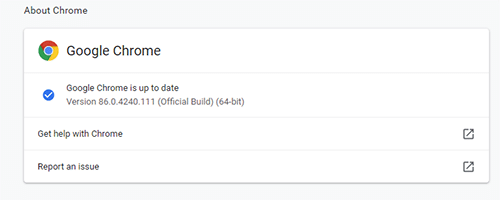
If you use Microsoft Edge type edge://settings/help
In this case you are looking for the Build Number 86.0.622.48
If you are at all unsure, just call us on 01670 432 324 for advice!